
Very often we get questions from our customers like “Where in the report template can I set data source connection string?”, “Where can I set a command to fetch data for my report?”, “How to set fields of the database table for selected report elements to get data from?”, etc.
Today I decided to post an article to answer all these questions at once.
The matter is that Report Sharp-Shooter uses different mechanism of getting data for reports.
Report Sharp-Shooter stores reports in a special component – Report Manager. It contains report slots, which in their turn get report templates.
Report Manager has a DataSource property, and this very property sets data sources that can be used to build reports by templates contained in all report slots.
Thus, you see that report templates are tightly connected to the application and when you create a template you need to consider that data is propagated to the report from the application.
This mechanism is very convenient, when you have a lot of reports using a single data source. Then you just need to load data once and use it to generate multiple reports of different types; it significantly increases performance.
At the same time sometimes it is more convenient to have reports that are not based on application data. In other words, to set database connection string or command for fetching data directly in the report template and to get data right before the report is rendered (most similar products work in this way).
Unfortunately, Report Sharp-Shooter doesn’t provide complete mechanism of designing reports that are not based on the application data. There is no doubt that this function is very important and we are working add it to our product, but I can offer you an alternative solution of this problem right now.
Report Sharp-Shooter templates feature GenerateScript. It is executed right before report generation, that is why you can easily use it to set database connection code and get data.
Find below a sample of such Generate Script code:
try
{
DataObjects.Remove(“Persons”);
}
catch
{ }
OleDbConnection cn = new
OleDbConnection(“Provider=Microsoft.Jet.OLEDB.4.0;Data Source=\”database.mdb\”");
cn.Open();
string sqlCmd = “select id_person, surname, name from persons”;
OleDbDataAdapter adapt = new OleDbDataAdapter(sqlCmd, cn);
DataSet dataSet = new DataSet();
dataSet.Tables.Add(“Persons”);
dataSet.Tables["Persons"].Columns.Add(new DataColumn(“Id_person”, typeof(System.Int32)));
dataSet.Tables["Persons"].Columns.Add(new DataColumn(“Surname”, typeof(System.String)));
dataSet.Tables["Persons"].Columns.Add(new DataColumn(“Name”, typeof(System.String)));
try
{
adapt.Fill(dataSet.Tables["Persons"]);
}
catch ( Exception exc)
{
MessageBox.Show(exc.Message, “Report Sharp-Shooter”, MessageBoxButtons.OK, MessageBoxIcon.Error);
}
finally
{
cn.Close();
}
DataObjects.Add(“Persons”, dataSet.Tables["Persons"]);
The last line adds report data sources to a table.
But it is not simple, as it may seem from the first sight. The script is executed right before report generation; and it means that nothing is known about data structure when the template is generated.
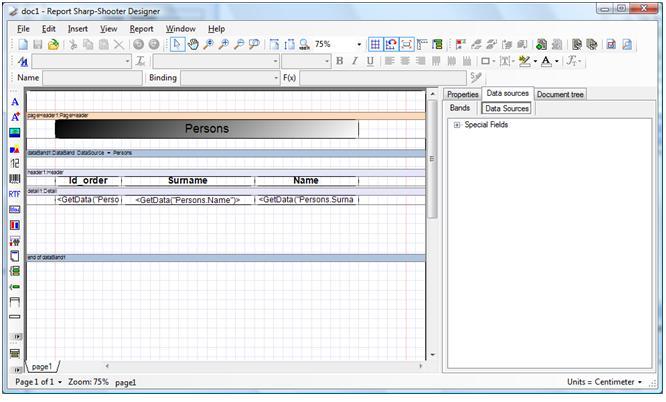
That is why you need write the following code in order to get value from the table:
GetData(“”)
So, you need to remember field names, and you see that it is absolutely impossible if have a lot of them.
Let’s do as follows.
Let’s create a simple sample application. Add a DataSet and create the Persons table there. Add 3 columns: Id_person, Surname, Name. So you will get a table that is absolutely equal to to the Persons table structure that is got in the script.
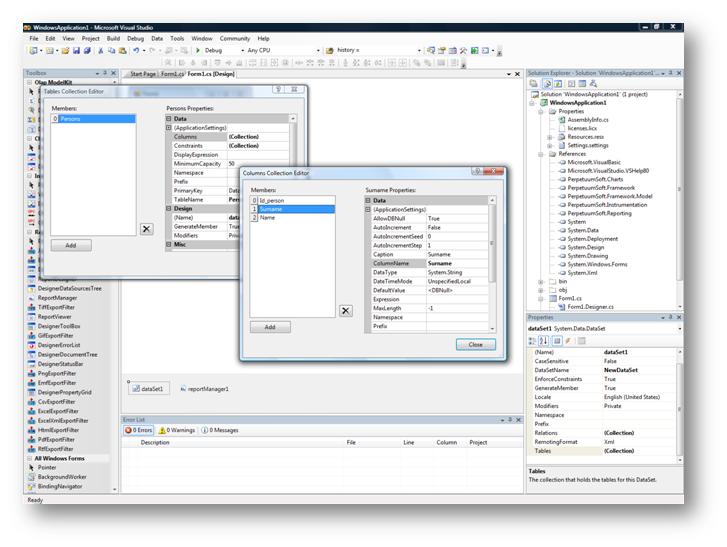
Add reportManager to the application. Add the table you got to the reportManager.DataSource property.
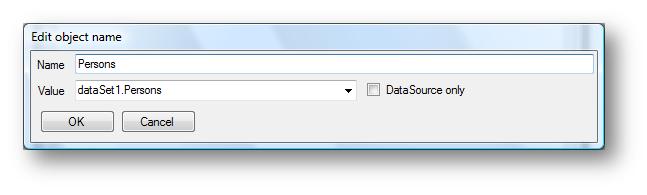
In this way data structure will be known when designing a template.
Add report slot the reportManager – slot1; it will store edited document.
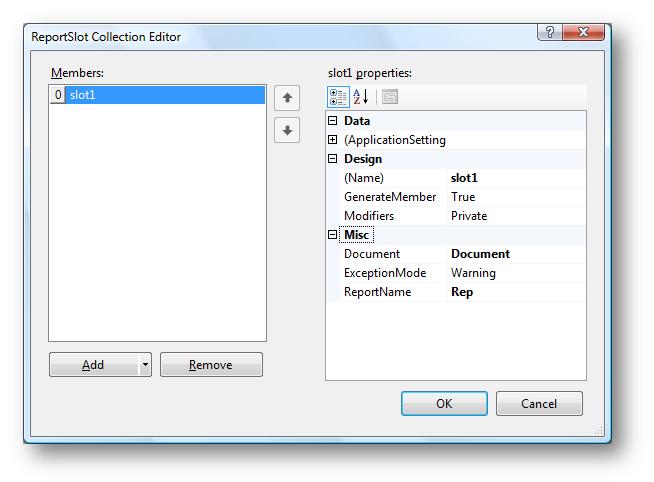
To make it more convenient to debug the template, add the “Design Template” button to our application.
Set the Click event handler:
private
void button1_Click(object sender,
EventArgs e)
{
slot1.DesignTemplate();
}
Run the designed application and click the “Design Template” button.
Create a report.
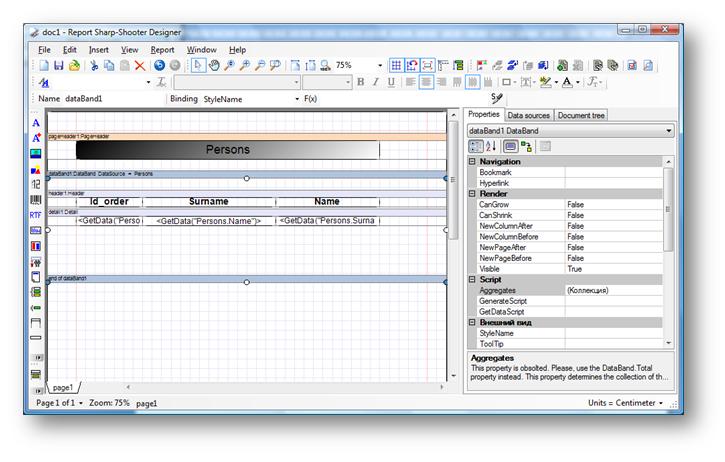
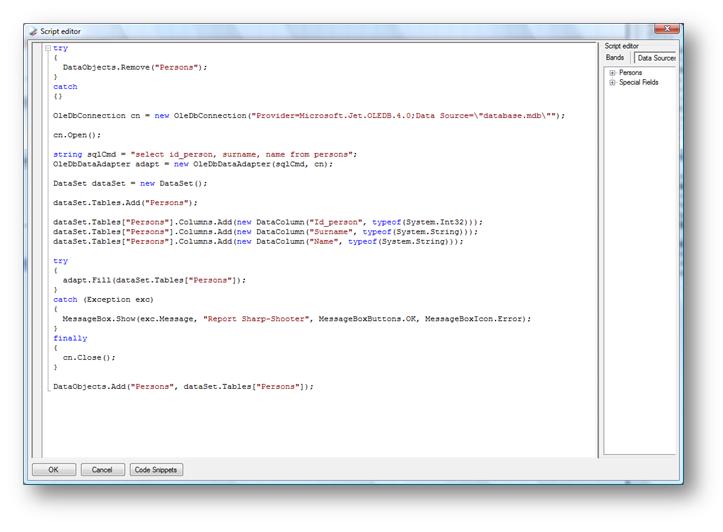
Copy the aforesaid code to the Generate Script.
Check the created template by generating report.
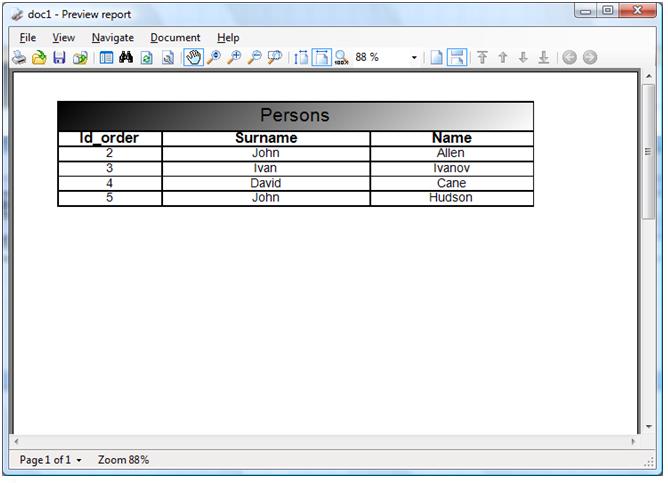
So, what we get? In fact, application propagates only data structure to the template, but the code for getting data itself is set directly in the template and is executed before it is generated. Moreover, when report is rendered we remove a data source set in the application:
DataObjects.Remove(“Persons“);
And add a new one got in the script instead:
DataObjects.Add(“Persons”, dataSet.Tables["Persons"]);
Then, the data source we added at the very beginning can be removed and it won’t affect report in any way.
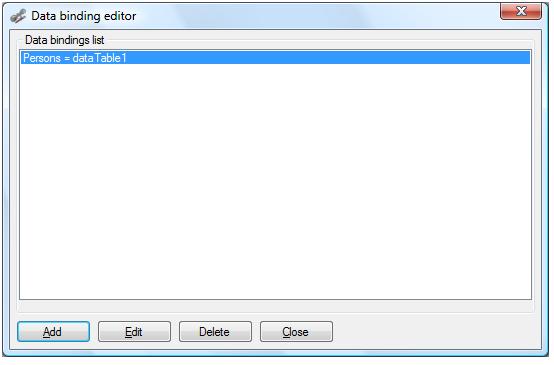
In this way you will get report template independent from the application.
Let’s open it in the Report Designer and try to generate a report.
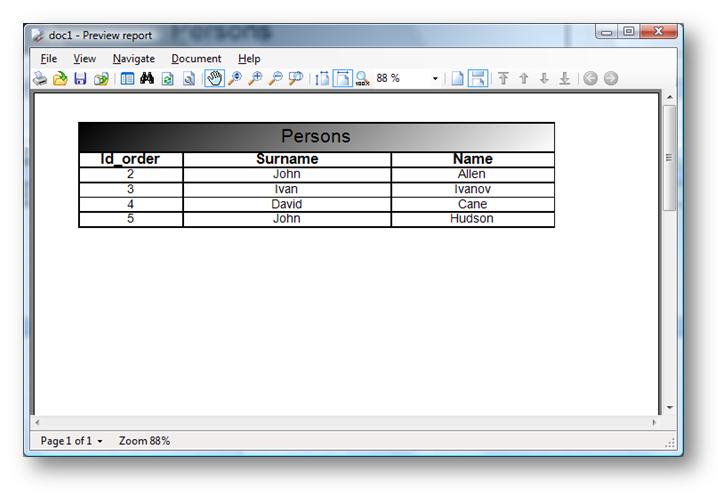
As you see, we get the same result.


Good work! Thank you very much!
I always wanted to write in my site something like that. Can I take part of your post to my blog?
Of course, I will add backlink?
Regards, Timur Alhimenkov
Timur,
Of course, you can take a part of the article and use it in your blog. A backlink is appreciated.
Thanks for visiting this blog.
Hope you will be a returning visitor.
Kind Regards,
Ekaterina Nebogina.
Hi. Your site displays incorrectly in Firefox, but content excellent! Thank you for your wise words =)
Angellaa,
It’s up to you to decide whether to post this article to Digg.
I think it’s a good content for developers.
Cheers,
Ekaterina.
ebay sniper…
Interesting article. I stumbled across your site while searching for a similar topic on google. I thank you for taking the time to write about this topic….
Hi, good post. I have been woondering about this issue,so thanks for posting. I’ll definitely be coming back to your site.
Hello, can you please post some more information on this topic? I would like to read more.
Thank you for your interest in the Perpetuum Technical Blog.
Hope, our articles will be helpful to you. Later we certainly plan to write more on this topic, but unfortunately, we can’t tell you exactly, when we continue working on this problem.
Kind regards,
Ekaterina.